You lean in to catch a whispered line, miss it anyway, and nudge the volume up two notches. Then a door slams and the whole room jumps. Muffled TV dialogue works exactly like that — too quiet for the talking, too loud for everything else — and it has become one of the most common complaints about films and streaming shows. In most cases it is not your hearing and not a faulty television. It is a chain of decisions made in the mixing studio, in your streaming app, and in a sound menu you have probably never opened.
Why the talking is quiet and the explosions are not
Film and drama sound is mixed with a wide dynamic range: a deliberately large gap between the softest and loudest moments. That gap is the point. It makes a whisper feel intimate and a crash feel violent, and it works beautifully in a dark, quiet room on calibrated speakers.
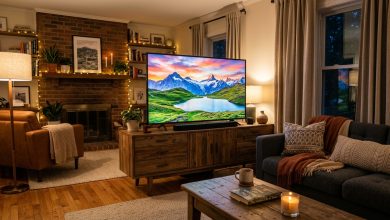
Your lounge is none of those things. A ceiling fan on medium, traffic outside, someone in the kitchen — all of it sits right on top of the soft end of that range. The loud end still gets through fine. So you hear the explosions and lose the conversation.
The European Broadcasting Union’s technical review of dialogue enhancement puts the studio side plainly: balancing dialogue against ambient sound is a major challenge for engineers, and the right balance for headphones in a noisy airport is not the right balance for a good stereo system at home. No single mix suits everybody, so the one you get is a compromise. (EBU Technical Review)
Your TV is folding five speakers into two
Most films and prestige series are mixed in 5.1 surround — five main channels plus a bass channel. Almost all of the dialogue lives in one of them: the centre channel, the speaker that would sit directly under the screen in a proper setup.
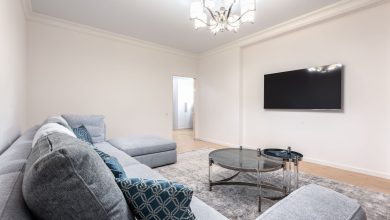
You almost certainly do not have a centre speaker. So your TV takes that five-channel mix and squashes it into its own two small speakers. The dialogue that had a channel to itself now shares space with music, crowd noise and sound effects. That single step is the biggest cause of muffled TV dialogue in a normal home.
Netflix’s own help page adds a detail worth knowing: the audio track is chosen per title, from the Audio & Subtitles menu during playback, and a device whose output is set to stereo or Linear PCM will not pass 5.1 at all. (Netflix Help Centre)
Try the stereo track on purpose
If you are listening on the TV’s built-in speakers and nothing else, the 5.1 track is often the worse choice.
A stereo track was mixed for two speakers by a human being. A downmixed 5.1 track was squashed into two speakers by your TV’s processing. Open the audio menu, pick the track labelled stereo or 2.0, and replay a scene you already know is hard to follow. On many TVs the stereo track wins clearly.
Three settings that fix muffled TV dialogue fastest
Sound menus differ by brand, but the useful controls have similar names.
Sound mode. Look for a speech-focused preset. Samsung documents its Amplify mode as one that “enhances clarity by boosting mid and high tones, making it easier to hear dialogues, especially in scenes with significant background noise,” against a Standard mode that stays true to the original production. Other brands call the equivalent Clear Voice, Speech, or Dialogue. (Samsung Support)
Auto Volume. Samsung describes this as automatically adjusting volume to keep levels consistent across sources. It narrows the gap between quiet and loud, which is the whole problem you are trying to solve. Turn it on and judge for yourself — some people find it flattens the sound too much.
Night mode or dynamic range compression. On a soundbar or AV receiver, this does the same job more aggressively: loud parts down, quiet parts up. It exists for watching late without waking the house, and it rescues dialogue well.
Where the TV sits matters more than you expect
Modern televisions are thin, which leaves nowhere sensible for a speaker. On many sets the speakers fire downwards or backwards, so the sound reaches you only after bouncing off a table or a wall. Put that TV inside a wooden cabinet and you muffle it again before it ever gets to your ears.
Pulling the set forward a few inches, or clearing whatever sits directly beneath it, costs nothing and sometimes fixes more than any menu setting. The same logic applies to how most people actually watch: a phone speaker at arm’s length in a room with a fan running is fighting a losing battle, and cheap earphones will do more for muffled TV dialogue than anything else on this list.
Watching in a second language changes the maths
If English is your second or third language, you are not imagining the extra difficulty. Research summarised in that same EBU review found that non-native listeners need roughly 3 dB more speech relative to the background to follow dialogue as well as native listeners do. The mix that a London sound engineer signed off as clear can be genuinely unclear to you, through no fault of your ears.
That is a good reason to stop treating subtitles as a defeat. Turning them on for a mumbling British crime drama is a sensible response to a real problem, not a failure of comprehension.
When it is not the sound at all
Sometimes what feels like muffled dialogue is actually a stream quietly dropping quality — audio compresses hard when bandwidth tightens, and voices are the first thing to smear. If the picture is also softening or stalling at the same moments, the cause is your connection rather than your speakers, and our guide to what actually fixes video buffering is the better place to start.
The order to try things in
Work through it cheapest first. Switch to the stereo audio track and replay a scene you know. Set the sound mode to the speech preset. Turn on Auto Volume or night mode. Move the TV away from the wall or out of the cabinet. Only then consider spending money — and if muffled TV dialogue is still bothering you at that point, buy a soundbar with a dedicated centre channel, because that is the thing your television has been missing all along.